Issue indicators
When a rule fires against a band-month, an issue is attached to it. The river shows those issues directly on the bands so you can spot problems without leaving the canvas.
Turning the overlay on
Issue markers are controlled from the Issues tab of the toolbar's Icons popover. Selecting severity, status, rule, or Unseen Only chips places the matching markers on the river. Clearing the chips removes them.
Severity colors
Issues have three severities:
- Critical: red.
- Warning: amber.
- Info: blue.
The color appears on the marker on the river, on the card border in the Issues panel, and on the severity tag in the issue detail.
Reading the markers
One issue on a band-month renders a circular badge with the issue's icon. Multiple issues on the same cell collapse into one badge with a +N count. Click the badge to open a popover with chevrons that step through the stack; each issue has a View button that opens it in the sidebar. An issue that spans several adjacent bands renders as one stretched capsule across them instead of one badge per band.
Hover a marker to see the severity and issue title. Right-click a marker for View details, Create task, Mark as reviewed, and Copy view link.
The Issues panel
Open the Issues panel from the right sidebar to triage issues while the river stays visible behind the panel:
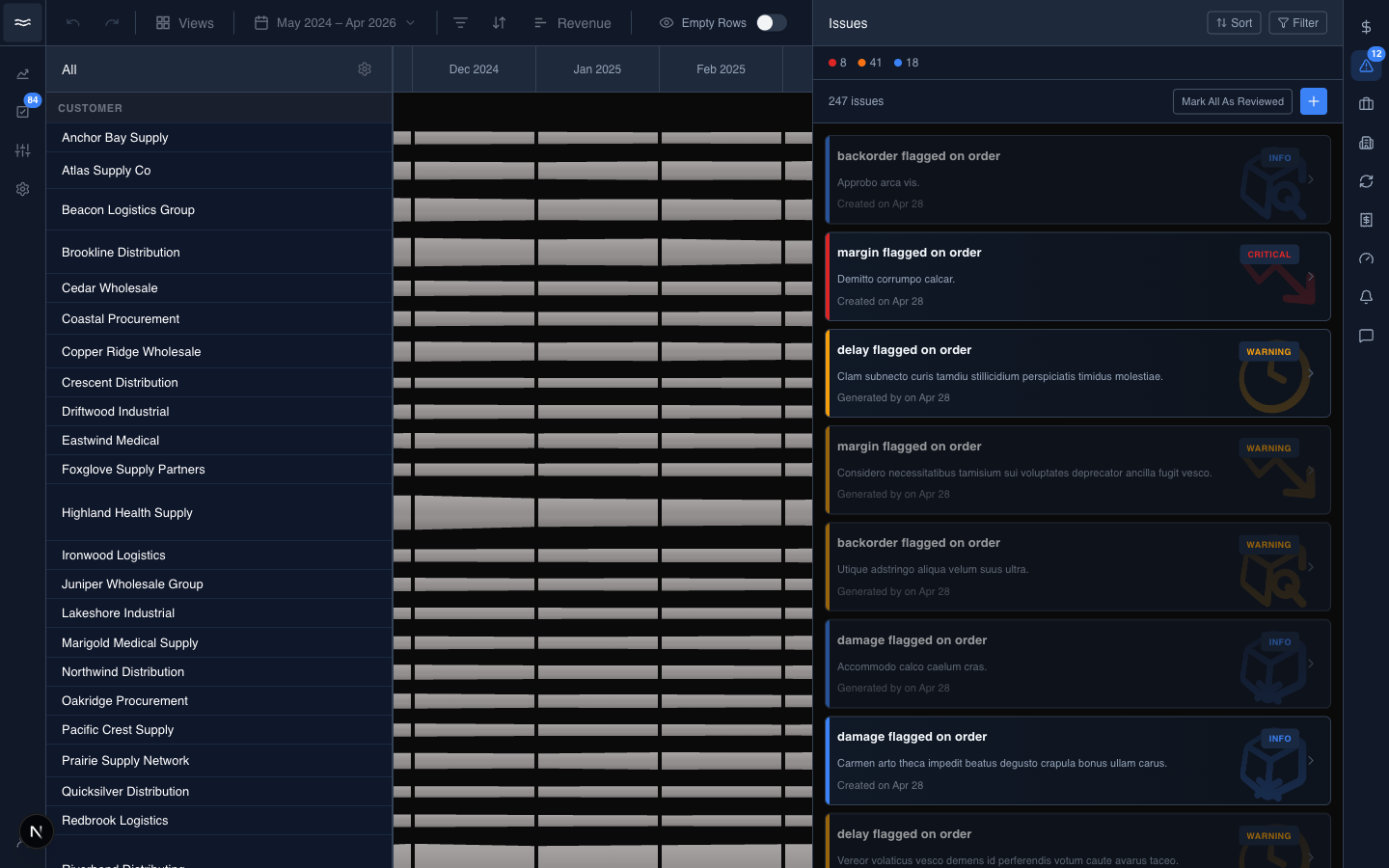
The header shows the total issue count, with severity counts as filter chips above the list. Sort and Filter are at the top right. Mark All As Reviewed clears the unseen badge.
Reading an issue
Click a card for the full detail:
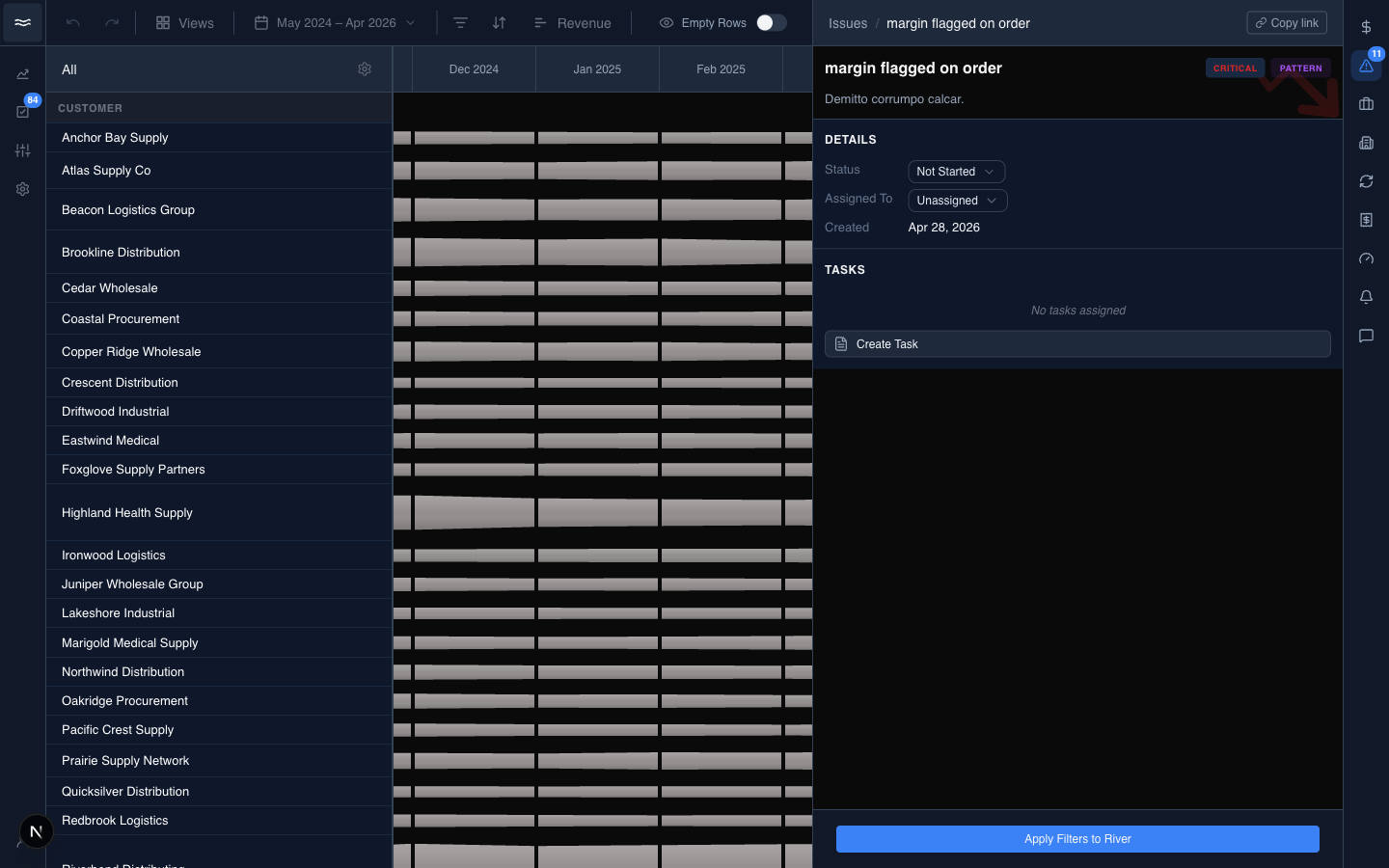
The detail shows the status, the assignee, follow-up tasks, Apply Filters to River, and a copy-link button. See Issues for the full workflow. Opening an unseen issue marks it reviewed automatically.
Chain highlighting in the flow diagram
When an issue links to a transaction, open the flow diagram and click any document to highlight the entire connected chain, for example PO ↔ shipment ↔ bill ↔ payment. Unrelated cards fade so the relevant path stays visible. Click the same document again to clear the highlight.