Cases
Cases are help-desk tickets imported from your ERP: overages, shipment damage, lead-time disputes, and missing items. The Cases panel shows them next to the river so you can compare a ticket with the activity on the account's bands. Open the panel from the Browse group in the right sidebar.
Browsing the list
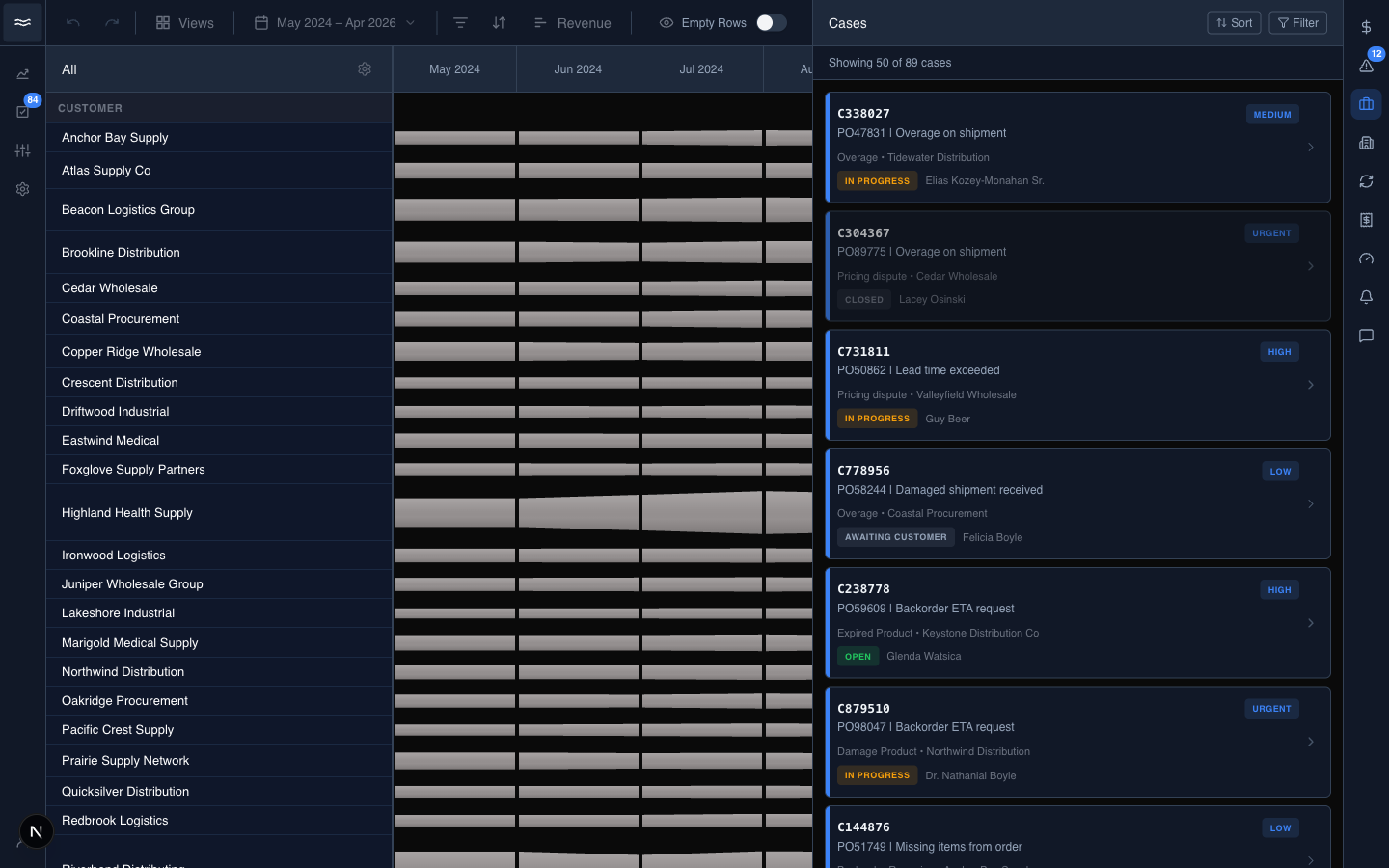
- Search: looks up case numbers on the server.
- Sort: Most Recent or Oldest.
- Filter: the dimension picker plus a date range.
Each card shows:
- The case number and title.
- A priority tag (
Low,Medium,High,Urgent). The stripe on the left edge of the card takes the priority color. - The issue type and the account (
Overage • Tidewater Distribution). - A status pill (
Open,In Progress,Escalated,Closed, …), the assignee, and the age of the case. Closed cases render dimmed.
If you open the panel by drilling a support-case bar on the river, the list arrives pre-scoped to that band and month. The filters stay editable.
Reading a case
Click a card to open the detail view:
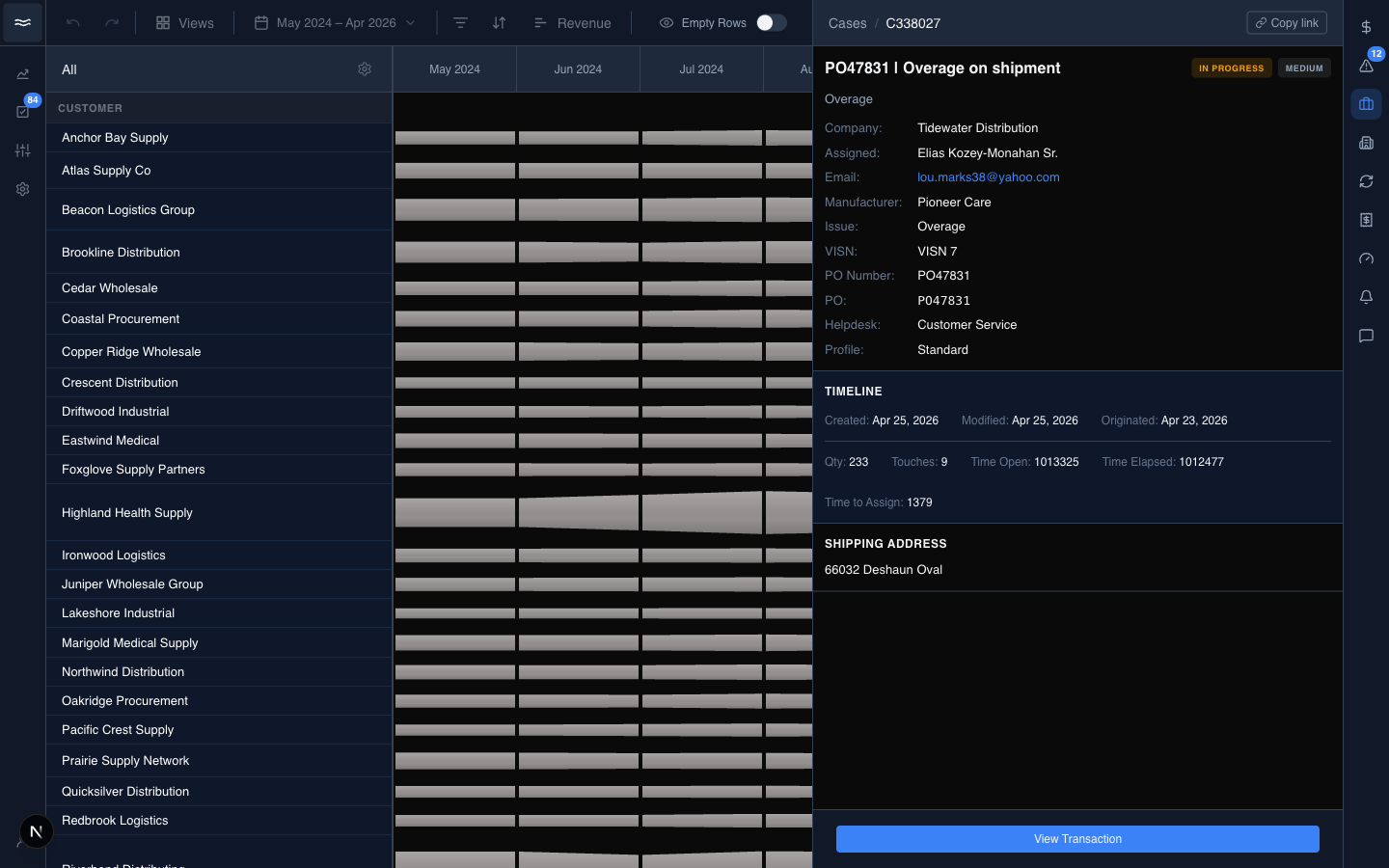
The detail view is read-only. There is no UI to change status, reassign the case, or add comments. Use the case number and PO number to follow up directly in your ERP.
The body has three sections:
- Details: company, assignee, email, manufacturer, PO number, helpdesk routing, and profile.
- Timeline: created, modified, and originated dates, plus operational counters (touches, time open, time to assign, time to close).
- Shipping address: the receiving location for the order, when the case has one.
The View Transaction button in the footer opens the flow diagram for the underlying order. The button appears only when the case title resolves to a real PO; older or unusually formatted cases do not show it.