Records
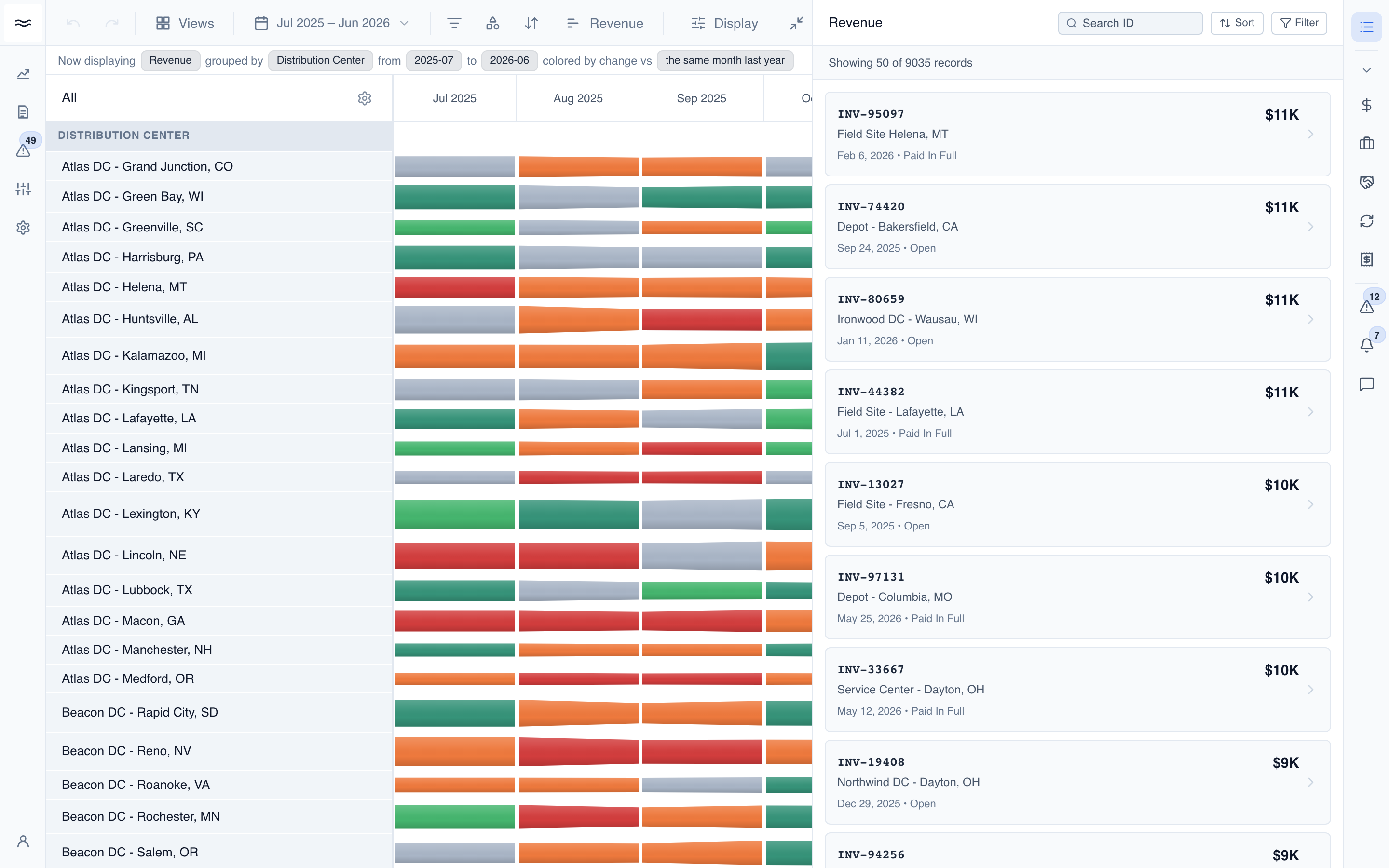
The Records panel answers the question "what is inside this bar?" It lists the individual records (invoices, invoice lines, fulfillments) whose values sum to a river segment, each with its contribution to the total.
Opening the panel
There are two ways in:
- From a segment: hover a river bar and click the View Revenue → action in the tooltip (the label follows the current measure). The panel opens scoped to that band and month, with the bar's dimension values applied as filters.
- From the rail: the Records icon at the top of the right sidebar opens the panel scoped to the river's current measure, window, and filters.
Measures that have a native panel route there instead: support-case bars open Cases, deduction bars open Deductions, and rebate bars open Rebate Tracking, each seeded with the same scope. Records handles all other measures.
Working the list
The header shows the measure name and the scope controls. Everything stays editable after a drill:
- Search: server-side lookup on the record's document number.
- Sort: Highest contribution or Most recent.
- Filter: the same dimension picker as the river, plus a date range picker to widen or narrow the drilled month.
Each card shows the record's document number, the customer (or the SKU and manufacturer for line-grain records), the date, the status, and the record's contribution: the exact amount the record adds to the bar you drilled from.
Drilling to the transaction
Click a card to open the record's Sales Order in the transaction flow diagram (see Transactions). Cards without a resolvable order are not clickable.