Deductions
Deductions are vendor credits in flight: money a vendor owes back, organized by where each credit sits in its filing lifecycle. Open the panel from the Browse group in the right sidebar. The panel requires the financials permission.
Browsing the lifecycle tabs
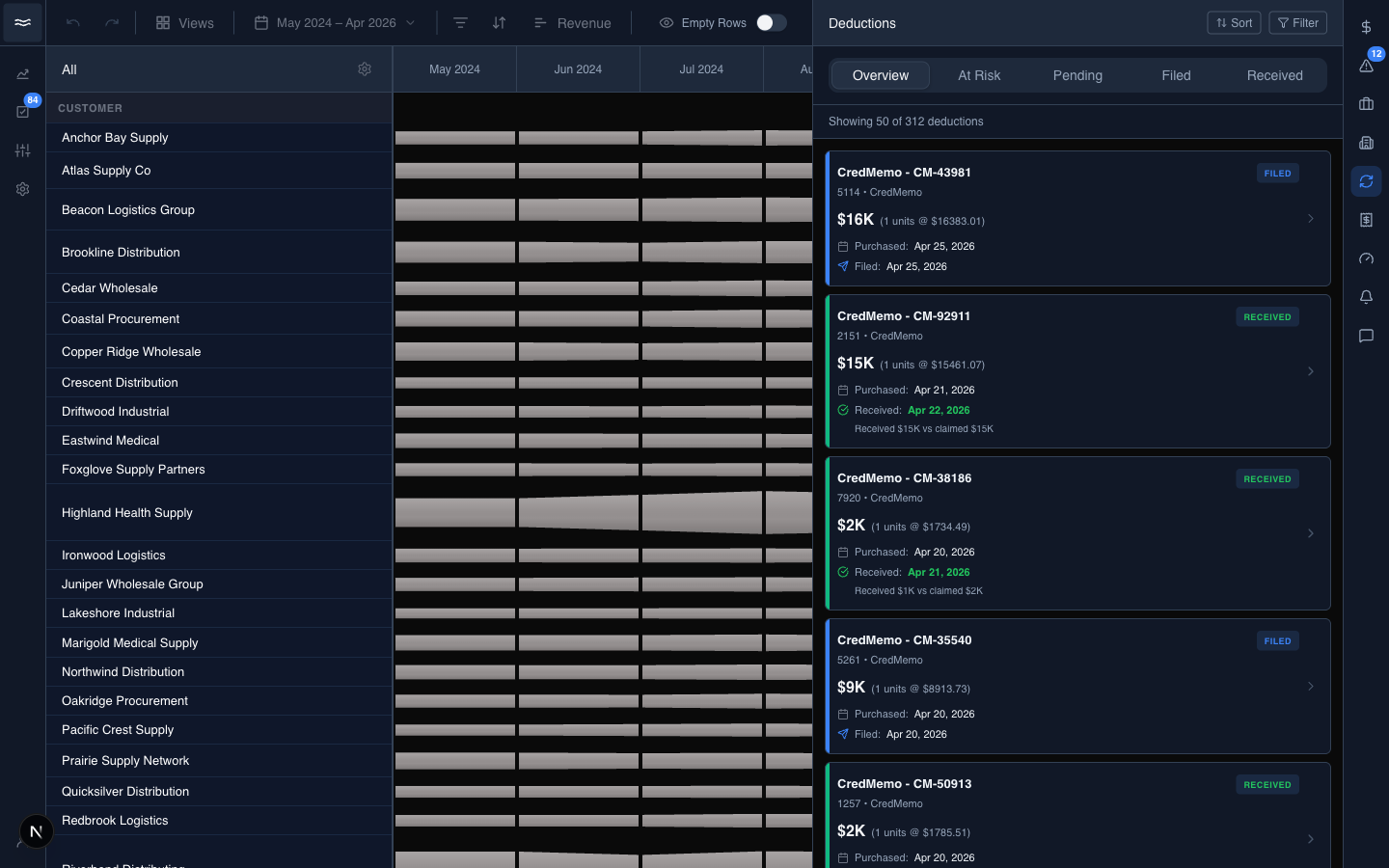
Five tabs run across the top:
- Overview: every deduction, in any state.
- At Risk: pending deductions whose filing deadline is within 7 days or whose forfeit deadline is within 14 days. This tab is always sorted by soonest deadline, regardless of the Sort dropdown.
- Pending: claimed but not yet filed.
- Filed: filed with the vendor, awaiting receipt.
- Received: the money has come back. Receipts show in green.
There is no Forfeited tab. Forfeited deductions appear only under Overview.
Each card shows the credit memo ID, a status pill (PENDING, FILED, RECEIVED), the amount with its per-unit calculation, the purchase date, and either the filing countdown or the received-vs-claimed reconciliation. Search, Sort (Most Recent, Oldest, Highest Amount), and Filter (dimensions plus a date range) sit at the top right.
Reading a deduction
Click a card to open the detail view. The detail view is read-only. There is no UI to change status, file the deduction, or add notes.
The body shows the credit memo, the manufacturer, the filing and forfeit timeline, and the quantity × per-unit calculation behind the amount. The View Transaction button in the footer opens the flow diagram for the originating PO, when the deduction has a linked PO.
Filing deadline and forfeit countdown
Two dates drive the lifecycle. Both are computed from the credit's transaction date:
- Filing deadline: credit date + 60 days. After this date, the deduction is at risk of denial.
- Forfeit date: credit date + 90 days. After this date, the credit is lost.
Countdowns are computed at render time and do not update in real time. Reload the page to refresh them.